See llms.txt for all machine-readable content.


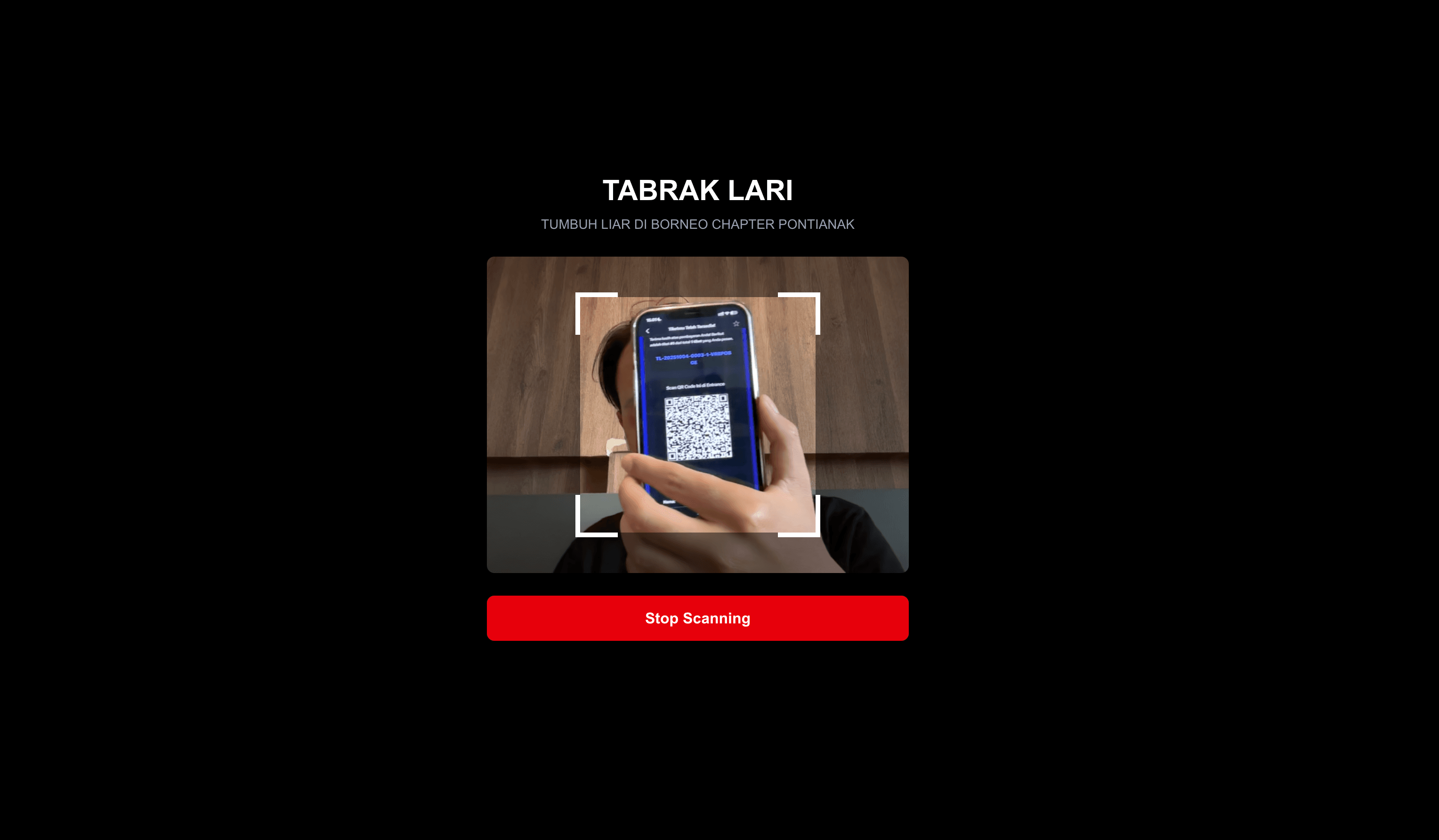
Ticketing Backend automates registration, QR-ticket generation, email delivery, and check-in validation using Google Sheets, Gmail, and a webhook scanner — reducing manual ticket prep from ~3 hours to under 5 minutes for 200 attendees.
Last updated: September 2026.
Why Use This Workflow?
- Time Savings: Automates ticket generation & delivery. reduces manual processing for 200 attendees from ~3 hours to <5 minutes.
- Cost Reduction: Removes dependency on paid ticketing platforms for basic events — save up to $150–$300/month for small organizations.
- Error Prevention: Single-source truth in Google Sheets with QR-based check-in reduces double-checkin and human errors by >90%.
- Scalability: Runs on a schedule and webhooks; scales from dozens to thousands of tickets (watch API/email quotas).
Ideal For
- Event Organizers / Community Managers: Sell & distribute tickets for meetups, runs, and local events with immediate QR delivery.
- Operations / Venue Staff: Fast, reliable check-in via mobile scanner POSTing to webhook for instant validation.
- Small Agencies & SaaS Teams: Lightweight, low-cost ticketing backend that integrates with existing Google accounts.
How It Works
- Trigger (Registration):
POST /v1/registerreceives registration payload (nama, email, no_hp, jumlah_tiket, total_price, payment_method). - Data Collection (Registration): Validate input → check existing participant in Register sheet → append registration.
- Processing (Ticket Generation): Scheduled job (START runs every minute) finds rows with Payment Status = PAID and Email Sent = NO.
- Intelligence Layer: For each ticket: generate unique Ticket ID (TL-YYYYMMDD-XXXX-N-HASH), build QR payload JSON, create QR image via qrserver API, and build HTML email with embedded base64 QR.
- Output & Delivery: Send ticket email(s) via Gmail; write one Tickets row per generated ticket and mark Email Sent = YES in Register.
- Storage & Logging: All participant & ticket records persisted to Google Sheets; check-in events update row (Checked In = YES and Checkin Time).
Core Endpoints
- Registration webhook:
POST /v1/register - Scanner webhook (check-in):
POST /v1/scanner
Event Metadata
- Event: TABRAK_LARI
- Event date: 15 November 2025
- Event location: GOR Pontianak
Setup Guide
Prerequisites
| Requirement | Type | Purpose |
|---|---|---|
| n8n instance | Essential | Host the workflow and webhooks |
| Google account (Sheets + Gmail) | Essential | Store tickets & send emails |
| Google Sheet | Essential | Register & Tickets data store |
| Public webhook URL / reverse proxy | Essential | Expose /v1/register & /v1/scanner to scanners/clients |
| qrserver.com (public API) | Optional | Generate QR images (no credentials) |
Important: Make sure your n8n instance URL is publicly accessible or use a tunneling/reverse proxy so webhooks can receive POSTs.
Installation Steps
- Import the JSON into your n8n instance.
- Configure credentials:
- Google Sheets OAuth2: Grant access to Google Drive & Sheets API (spreadsheets.readonly & spreadsheets).
- Gmail OAuth2: Grant send email scope (Gmail send).
- Update environment-specific values:
- Verify Google Sheet ID.
- Set the public base URL for ticket scanner clients to POST /v1/scanner.
- Customize settings:
- Event name/date/location (variables in Generate Ticket Data / Build HTML Email).
- Email sender address and subject line in Gmail node.
- Test execution:
- Use a sample POST to
/v1/registerwith valid fields to create a registration. - Mark a row as PAID and Email Sent = NO to trigger scheduled ticket generation.
- Simulate a scanner POST to
/v1/scannerwith the barcode JSON payload to test check-in.
- Use a sample POST to
Technical Details
Core Nodes
| Node | Purpose | Key Configuration |
|---|---|---|
| REGISTER (Webhook) | Accepts registration POSTs | Path: /v1/register |
| Validate Input (Code) | Server-side validation | Validates nama, email, no_hp, jumlah_tiket, payment_method |
| Get Participant (Google Sheets) | Check duplicate email | Filters Register tab by Email |
| Store Data (Google Sheets) | Append registration | Tab: Register (gid=0) |
| START (Schedule Trigger) | Finds paid registrations | Runs every 1 minute |
| Get Rows (Google Sheets) | Reads Register rows | Reads full Register tab |
| Filter Paid Not Sent (Filter) | Finds rows with Payment Status=PAID & Email Sent=NO | Filter node conditions |
| Generate Ticket Data (Code) | Generate ticket IDs & QR payloads | Ticket ID format TL-YYYYMMDD-XXXX-N-HASH |
| Generate QR Code (HTTP Request) | Calls qrserver.com to build PNG | URL: https://api.qrserver.com/v1/create-qr-code/?size=300x300&data=... |
| Build HTML Email (Code) | Builds ticket HTML & embeds Base64 QR | Template contains ticket details & QR |
| Send Email (Gmail) | Sends ticket email | To: recipient Email; Subject configurable |
| Update Sheet (Tickets) | Append ticket rows | Tab: Tickets (gid=2010454173) |
| Parse Data (Code) | Aggregates ticket IDs per email | Updates Register with combined ticket IDs |
| SCAN TICKET (Webhook) | Check-in endpoint | Path: /v1/scanner |
| Parse Barcode (Code) | Parses incoming scanner payload | Expects JSON in body.barcode |
| Get Tickets (Google Sheets) | Lookup ticket by Ticket ID | Filters Tickets tab by Ticket ID |
| Ticket Available? (If) | Validates existence & Checked In status | Branches to update or return error |
| Update Ticket Status (Google Sheets) | Mark Checked In = YES | Sets Checkin Time to scannedAt |
| Checked IN / Already Checked IN (RespondToWebhook) | Respond payloads for scanner | JSON responses with status & metadata |
Workflow Logic
- Registration: Writes to Register sheet. A scheduled job picks up PAID rows where Email Sent = NO; for each row it generates one record per ticket, calls the QR API for an image, sends an email per ticket (multi-ticket support), then appends Tickets rows and marks Email Sent = YES by updating the Register sheet with combined ticket IDs.
- Check-in: The scanner webhook accepts barcode JSON, extracts ticket_id, looks up the Tickets sheet, prevents duplicate check-ins by checking "Checked In" flag, and updates sheet with check-in timestamp on success.
Customization Options
Basic Adjustments
- Email Template: Edit Build HTML Email node to change branding, copy, or layout.
- Ticket ID Format: Change code in Generate Ticket Data to alter prefix or hash length.
- Event Metadata: Change event_name, event_date, event_location in code nodes.
Advanced Enhancements
- Payment Gateway Integration: Integrate with payment gateway (e.g., webhook from Stripe) to automatically set Payment Status = PAID — complexity: medium.
- Cloud Storage for QR Images: Use cloud storage (S3) for QR images instead of base64-embedding — complexity: medium-high.
- Batch Email Provider: Use batch email provider (SendGrid/Mailgun) for high-volume events to reduce Gmail quota risks — complexity: medium.
Troubleshooting
| Problem | Cause | Solution |
|---|---|---|
| Invalid QR / scanner returns "Invalid QR code format" | Scanner payload not sending barcode JSON or malformed JSON | Ensure scanner POST body contains valid JSON string under body.barcode; validate payload in Parse Barcode node |
| Ticket exists but cannot update | Google Sheets API auth / permission error | Reconnect Google Sheets OAuth2 credential; ensure the service account/user has edit access to the sheet |
| Emails not sent | Gmail OAuth2 credential missing or Gmail API quota reached | Reauthorize Gmail credential; consider switching to SendGrid/Mailgun for large volumes |
| Duplicate check-in allowed | Logic checking "Checked In" value mismatch (case/format) | Normalize the Checked In field values and use strict comparisons in Ticket Available? node |
| Slow generation for many tickets | Sequential QR calls and sends | Use parallel execution or a dedicated email service; increase worker resources for n8n instance |
Use Case Examples
Scenario 1: Community Fun Run (200 attendees)
- Challenge: Manual QR generation and emailing takes ~3 hours.
- Solution: After marking registrations as PAID, the scheduled job generates 200 QR tickets and emails them automatically.
- Result: Ticket prep completed in <5 minutes; volunteer time reduced by ~3 hours.
Scenario 2: Regional Festival (2,000 tickets)
- Challenge: High volume requires reliable delivery and check-in speed.
- Solution: Use this workflow but replace Gmail with a transactional email provider (SendGrid) and host n8n on a scalable instance. Monitor Google Sheets and email provider quotas.
- Result: Automated delivery scales; on-site check-in handled via the /v1/scanner endpoint with near-instant validation.
Quick Answers
How do tickets get generated?
Mark registrations as PAID with Email Sent = NO. The scheduled job runs every minute, generates QR tickets, and emails them.
How does check-in work?
The scanner POSTs barcode JSON to /v1/scanner. The sheet validates the ticket and marks Checked In.
What about quotas at scale?
Watch Gmail and Google Sheets API quotas. For high volume, swap in SendGrid or Mailgun.
Additional Information
Made by: khmuhtadin
Category: Event Automation, Ticketing Backend
Tags: google-sheets, gmail, qr-code, webhook, ticketing
Need custom workflows or help adapting this for your event? Contact me
Note: Import the JSON into your n8n instance to get started.
My Social:
Threads LinkedIn Medium Workflow Collections portfolio
Additional info
Built with n8n. Need an assessment on your business? Feel free to reach out at https://khmuhtadin.com/consultation/